Timelinely makes it easy to get started. You just have to copy a YouTube URL into the Timelinely homepage to get started. Once you have entered the URL for a video, a new screen appears that allows you to add tags or annotations to the timeline of the video. You can do this while the video plays or you can simply jump to a place on the video to add annotations. Your annotations can include text or images. As you can see in the screenshot below, I included an image of my friend Tom Richey in the annotation that I made on one of his YouTube videos.
Before you get too involved with Timelinely it's important to note that you'll have to create an account in order to save and share your work. You can create an account by using your Google account, by using your Facebook account, or by signing up with any email address. You can share your annotated version of a video via email and social media. Embedding the annotated version is a feature that Timelinely says is coming soon.
Applications for Education One of things that I like about Timelinely is the option to include pictures in your annotations. I can see that feature being used to include an alternate example for students to view when watching a math lesson.
Plagiarism is a very real phenomenon in colleges and universities, and it starts in high school. Here is a tool with a reasonable fee that teachers can start using for free. At the end of the year I will ask for teachers feedback to add it to our other teaching tech gear.
From Unicheck Blog
As promised, new amazing updates are rolling out right after we’ve announced the Unplag plagiarism checker name and mission change. To tell the truth, we cannot contain our excitement about this one any longer. Unicheck plagiarism checker is now integrated with Google Classroom! Yes, we are the first who did it.
Google Classroom is growing in popularity all over the globe. No wonder! This online educational platform encourages simpler and more engaging teacher-student and peer-to-peer interaction. It makes it both paperless and multi-functional. Google Classroom allows creating discussions and assignments; giving advice to all students at once; sharing documents, videos or feedback; and doing many more useful things.
With Google Classroom being freely accessible to any educator or student with Gmail account, Unicheck is sure to be an extra helpful add-on.
Ideas Unicheck Team Shares
What makes us so enthusiastic about the integration? We believe there is something in common between the Unicheck Team and Google Classroom creators. Oh, it isn’t an idle boast. Delivering education to every person who strives for knowledge no matter the location, social and economic conditions, will make learning an everyday habit. This is what we aim to do too.
With Unicheck plagiarism checker at hand, educators will have another smart and powerful tool to help students learn how to speak their minds out and reveal individual writing voice.
Treats You Get with Integration
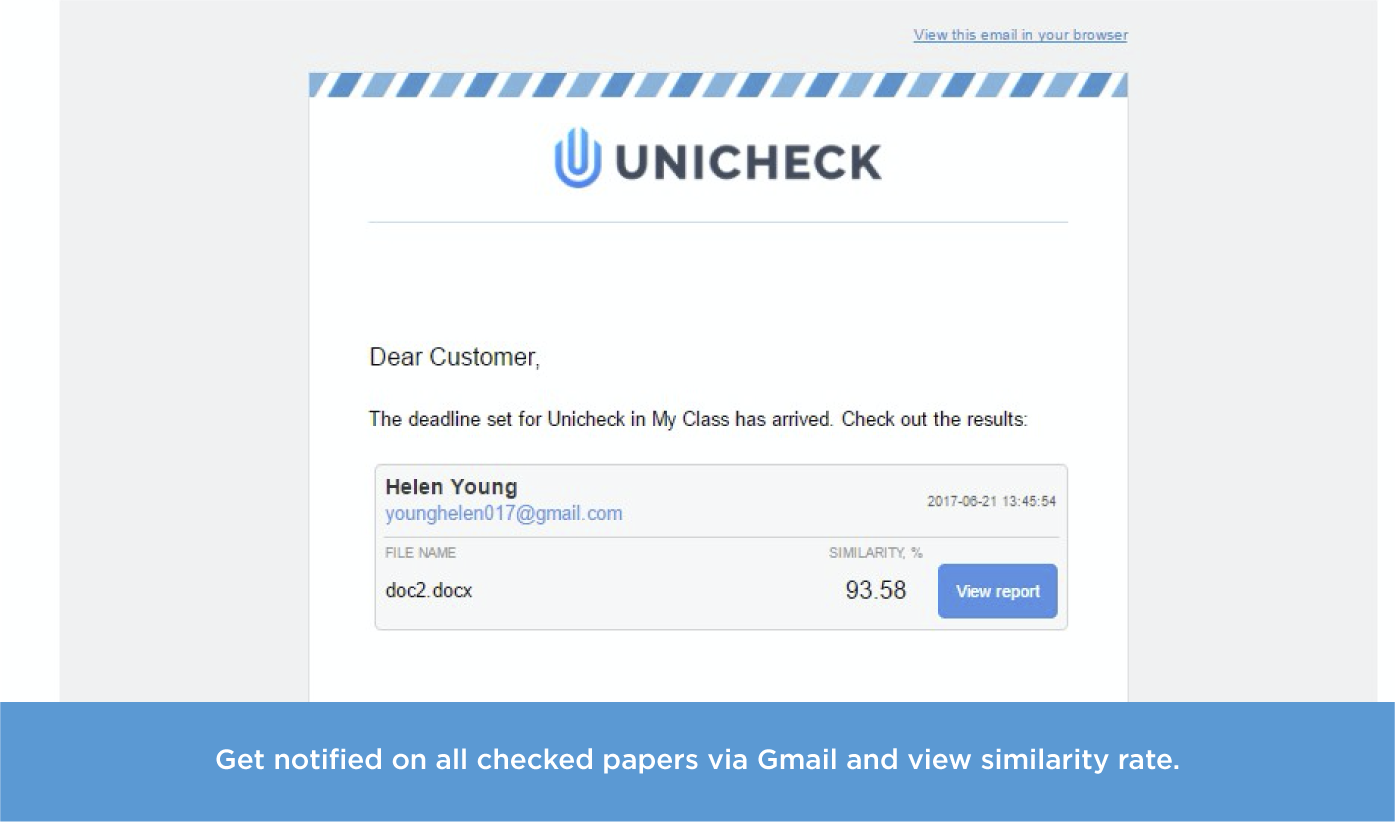
Well, it’s handy, quick, and supportive. As an educator, you receive notifications on the checked student submissions directly to your email (at Gmail). No need to open a new tab or log in to the Unicheck account. The notification briefs you on the similarity rate of each student paper, lists student name, email and submission date. No time wasted. You see which paper needs checking right away.
Plagiarism reports then can be shared with students. You are free to choose between these two options: forwarding an email or sharing a report link.
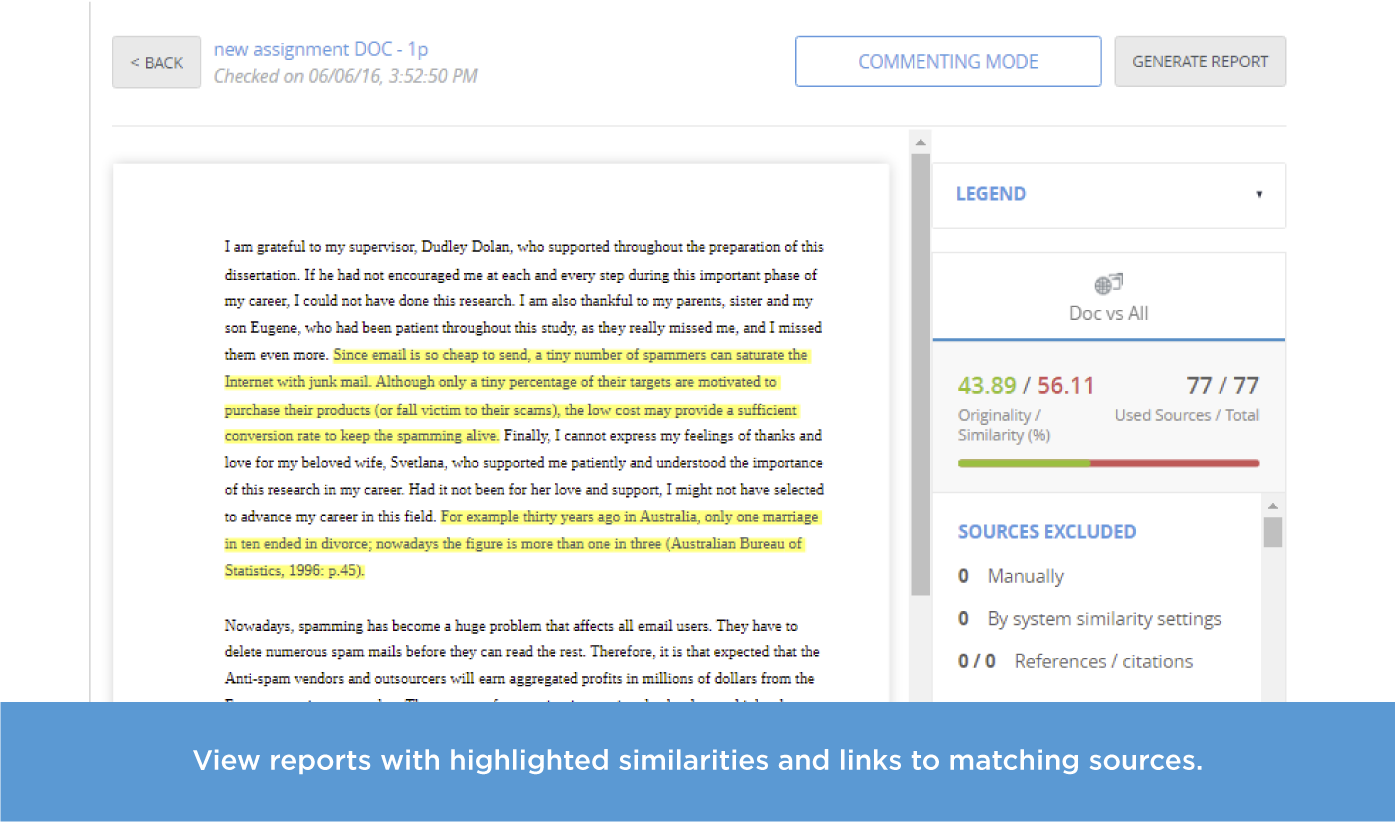
Adjusting search settings (skipping minor text matches from search) and choosing who and when is notified on submissions is also possible. Every time a paper is being scanned, Unicheck compares it with billions of relevant sources on the internet and all documents uploaded by educators to Unicheck. Just to deliver up-to-date check results.
Simple Steps to Integrate Unicheck Plagiarism Checker
To integrate Unicheck with Google Classroom, having a registered account for your school, college or university is absolutely crucial. In such a way you will be able to choose Google Classroom in the LMS Integration tab.
Then, go through a quick settings configuration process. Type in the name for the integration, pick up the class(es) to be connected, specify a plagiarism report receiver(s), and select search settings. Hmm.. there is something missing. It’s logo! Yes, you can add your institution’s logo to the Unicheck report.
Go For Unicheck!
Being able to work in Google Classroom and have all papers checked for plagiarism automatically is a thrilling opportunity to jump at. Our team would be glad to respond to all of your questions and give way more detailed explanation on how it works! Let’s get in touch!
Read Write Think's Crossword Puzzle Generator makes it easy to create your own crossword puzzles. To create your puzzle simply enter a list of words, a set of clues for your words, and then let the generator make a puzzle for you. You can test the puzzle before printing it. You can print blank puzzles and answer sheets from the puzzle generator.
Conceived by the National Collaborative for Digital Equity at New England College, in close collaboration with the NH Department of Education, New Hampshire National Education Association, and EBSCO, the Habit of Mind Partnership is dedicated to providing educators with lowest possible cost access to a vast array of full-text resources on evidence-based practices in education.
The Habit of Mind Partnership is delighted to provide you with access to a stellar array of full-text articles and e-books, filled with information on "evidence-based practices" in education that can assist you to enhance your professional development and your students' learning opportunities, engagement and outcomes. Use the Habit of Mind Portal to stay current and research best practices as published by the top thought leaders in education, sociology, psychology, diversity, and other key topics. Search by topic/subject, thought leader/author, or title, and be sure to sign up for the opportunity to receive updates on each through the Folder functionality in order to sustain and enhance your ongoing professional development.
To enjoy unlimited access to these resources at no cost, thanks to generous discounting by EBSCO and equally generous funding by the NH Department of Education, please go to:
This blog provides information about Library Media (Lib) and Information Technology (Tech) for teachers, and everything that belongs to both categories (CD). Lists of links and post labels are organized accordingly. Enjoy!